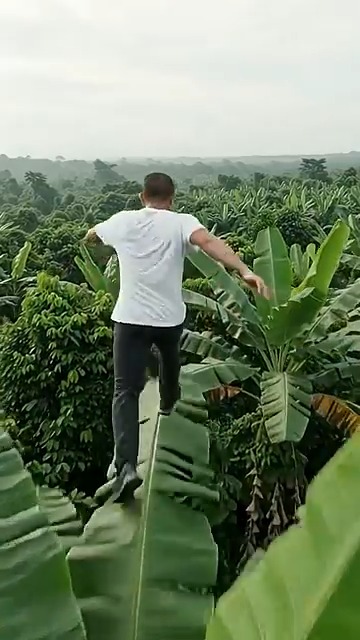
Banana Tree Run AI is a short-video trend that turns an adult into the runner in a prepared banana-leaf scene. It is also searched as banana leaf running AI, running on banana trees, and AI running on banana leaves.
The recognizable trend uses lush banana plants, forward motion, a following camera, and an impossible-looking run. Different templates interpret the reference differently, so watch the examples before generating rather than expecting every tool to reproduce the same shot pixel for pixel.
What you need
Use one clear photo of one adult. A visible face, even lighting, and an uncluttered background give the model more reliable identity information. Only upload your own photo or an image of an adult you have permission to use.
Make the video in four steps
- Open the Banana Tree Run AI generator.
- Upload one JPG, PNG, or WebP image.
- Choose the version and resolution. The exact credit total appears before generation.
- Generate, then follow progress in your dashboard and download the finished vertical MP4.
The current template creates a 14-second, 9:16 video. Most generations take about 6–8 minutes, although demand and provider processing can change the wait.
Price, sound, watermark, and refunds
The standard version currently starts at 15 credits for 480p and 45 credits for 720p. The high-quality version starts at 20 credits for 480p, with 720p and 1080p options costing more. Always use the total shown in the generator as the current price.
The generated video is silent, so add music from TikTok, Instagram, YouTube, or another library where you have the right to use it. Banana Leaf AI does not add an editing timeline or a branded overlay to the generated file. A social platform may still add its own label or watermark after upload.
If generation fails, the credits used for that attempt are returned automatically. A completed result can vary because it is AI-generated; a new attempt uses credits again.
Before you post
Review the face, hands, feet, and motion through the full clip. Add an AI-generated-content label when the platform requires one, use licensed audio, and avoid presenting the scene as a real stunt.
For better input, read how to choose the best photo. If you are deciding between a browser generator and an app template, see Banana Tree Run AI vs CapCut.
Read more
Banana Tree Run AI Not Working? Fix Failed or Poor Results
Troubleshoot photo review, failed generation, face drift, playback problems and lost guest order links.
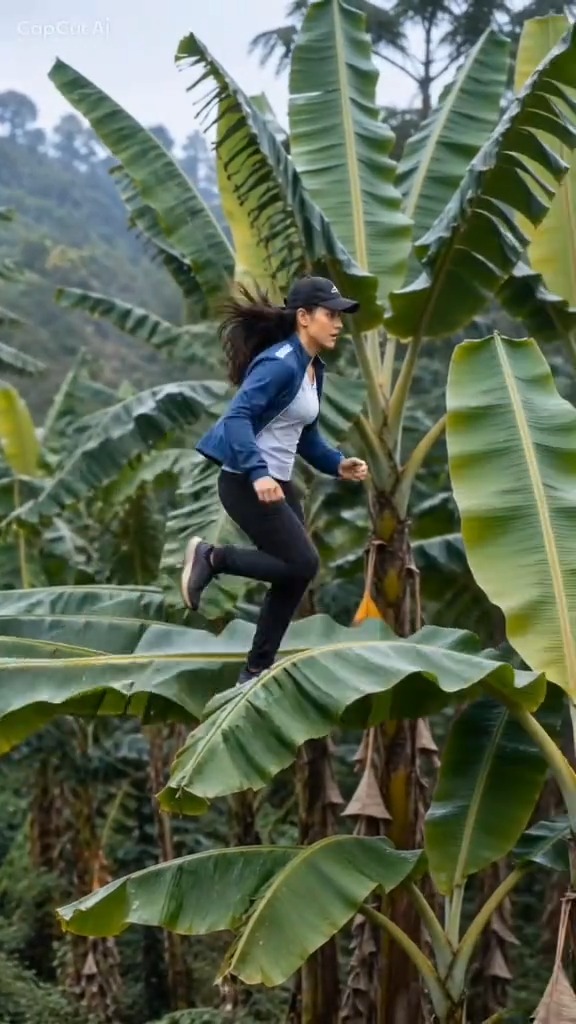
Banana Tree Run AI Prompt: Example and Template Guide
Use a practical Banana Tree Run AI prompt and learn why a reference video and a clear portrait matter more than extra keywords.
Banana Tree Run Captions and Hashtags
Caption, title and hashtag ideas for publishing a Banana Tree Run video on TikTok, Reels and Shorts.